Using AI Coding Tools with Fused CLI
Fused publishes a skills plugin that teaches AI coding tools the Fused-specific formats they need to author canvases and write UDFs. Once installed, the AI understands how to create and modify Fused canvases, call integrations, and use the CLI without you having to explain the format every time.
The plugin covers five skill areas:
| Skill | What it teaches |
|---|---|
canvas-toml | canvas.toml format — nodes, edges, viewport, folder layout |
fused-cli | fused CLI — push, run, share, and manage UDFs from the terminal |
fused-integrations | Built-in integration helpers — Snowflake, BigQuery, GCS, S3, Airtable, Notion, Google Drive |
fused-udfs | Writing Fused UDFs — structure, parameters, return types, caching, agent-friendly design |
json-ui-schemas | Widget JSON schemas — text inputs, dropdowns, charts, maps, SQL tables |
Fused CLI
Install the fused Python package to get the CLI:
pip install --upgrade fused
The CLI covers running UDFs, managing canvases, uploading files, handling secrets and integrations, and more. See the CLI Reference for the full command reference.
Claude Code
Claude Code supports the Fused plugin natively via its plugin marketplace. Once installed, Claude Code automatically applies the Fused skills whenever you work on canvas files.
Via the fused CLI (recommended):
fused claude plugin add
Via Claude Code directly:
claude plugin marketplace add fusedio/claude-plugins
claude plugin install fused@fused-marketplace
To update or remove later:
claude plugin update fused@fused-marketplace
claude plugin remove fused
Try it out
Once the plugin is installed, ask Claude Code to build a canvas from scratch. Try a prompt like:
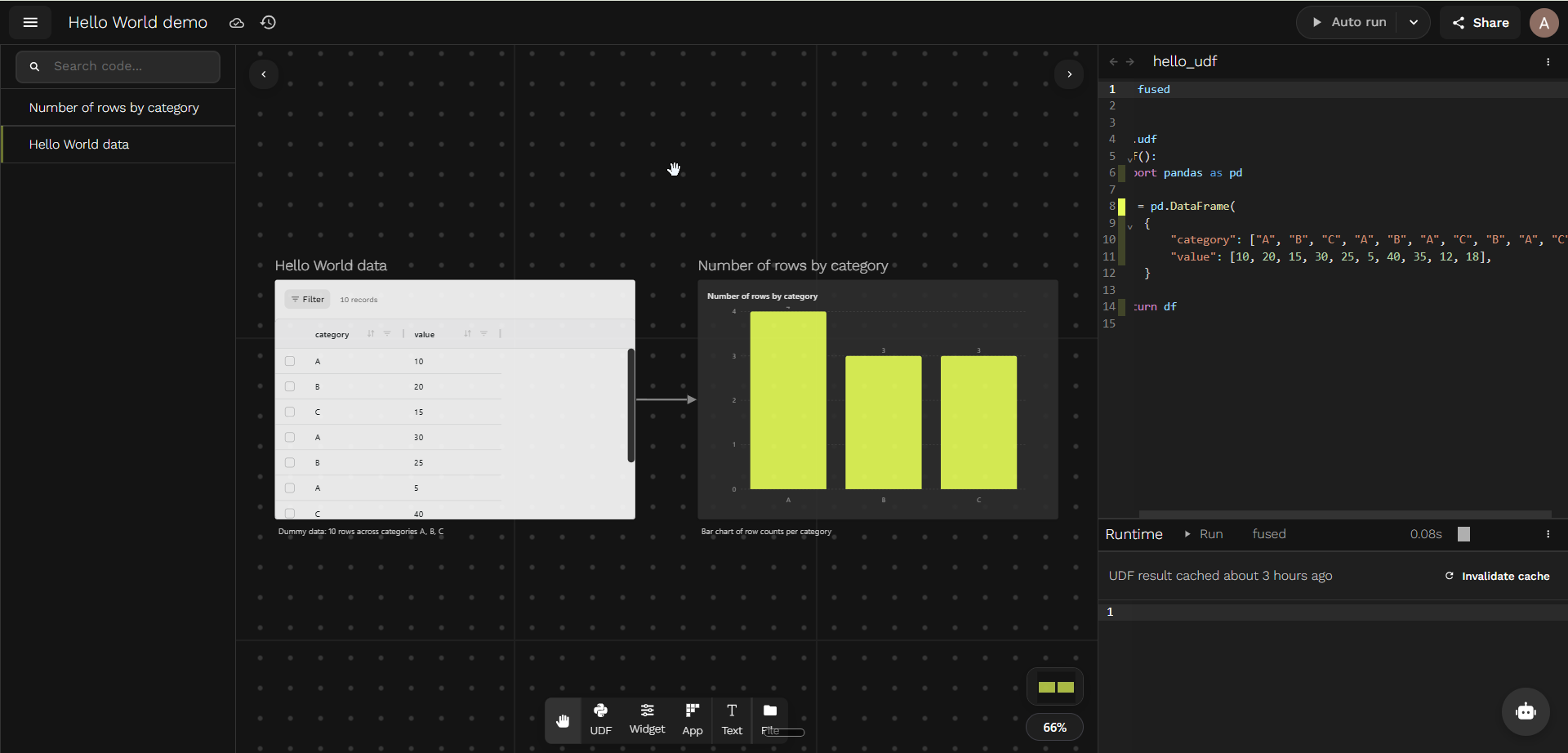
Make a Hello World canvas with some dummy data and a chart showing the number of rows in the data
Claude writes the UDF, wires up a chart widget, and pushes the canvas with the fused CLI — no manual setup. The result is some dummy data and a bar chart of the row count per category:
Editing canvases locally with Claude
Once Claude Code is set up, the typical workflow is:
1. Pull your canvas to a local folder
fused canvas pull <canvas_name>
This downloads the canvas — UDF .py files, canvas.toml, and widget JSON — into a local directory. Claude Code can then read and edit those files directly.
2. Ask Claude to make changes
With the canvas pulled locally, you can ask Claude to modify UDFs, wire new nodes, update widget configs, or restructure the canvas. Claude edits the files in place — no copy-pasting required.
3. Push changes back to Fused
fused canvas push <canvas_dir>
This replaces the remote canvas with your local state. Any UDFs missing from the local folder are removed from the remote canvas.
4. Review and pull changes in Workbench
Once you push, Fused Workbench detects that the server has a newer version and shows a prompt:
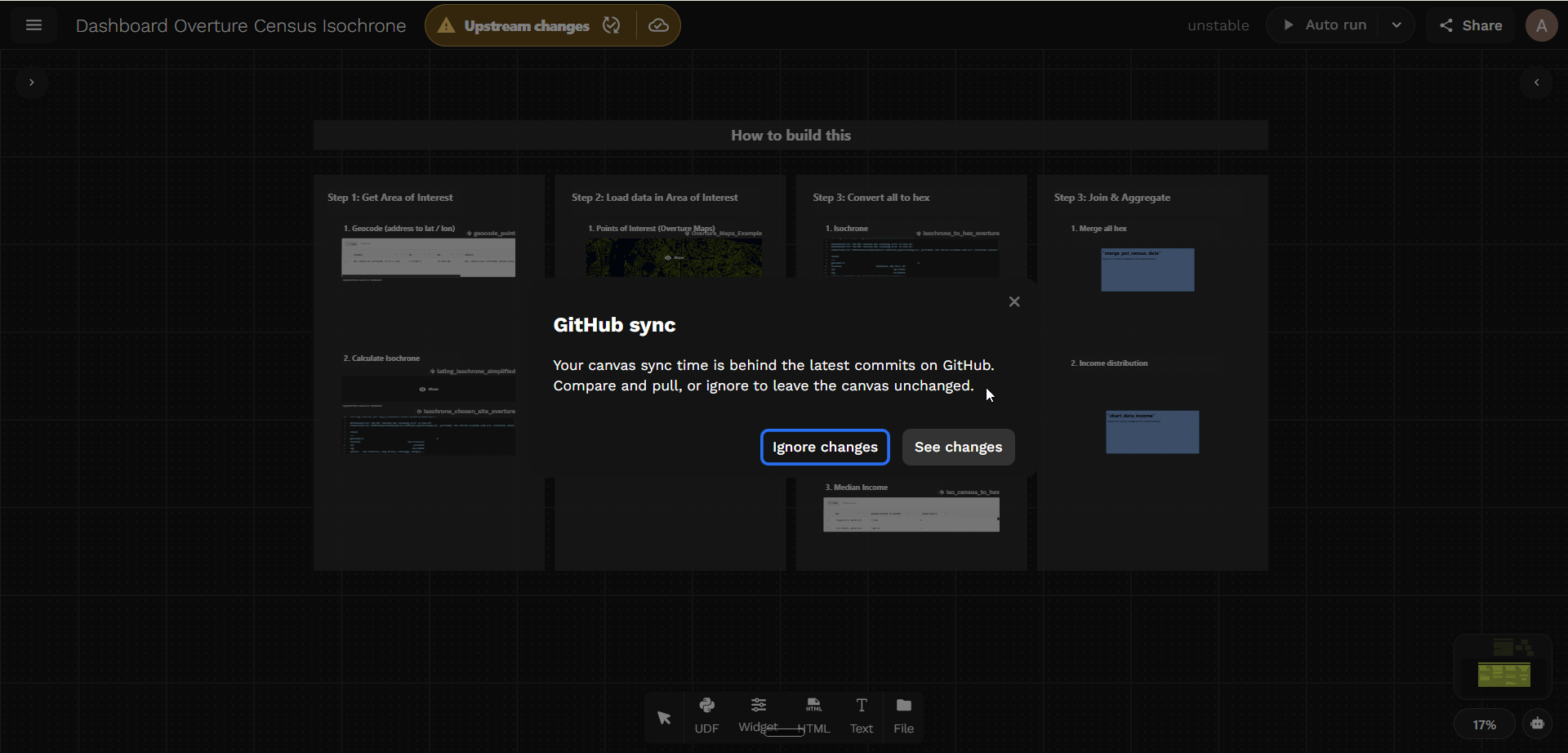
Click Compare to review the diff against the current canvas state, or Later to dismiss and pull manually. When you're ready, the Pull server changes panel lets you pull all UDFs at once or cherry-pick individual ones:
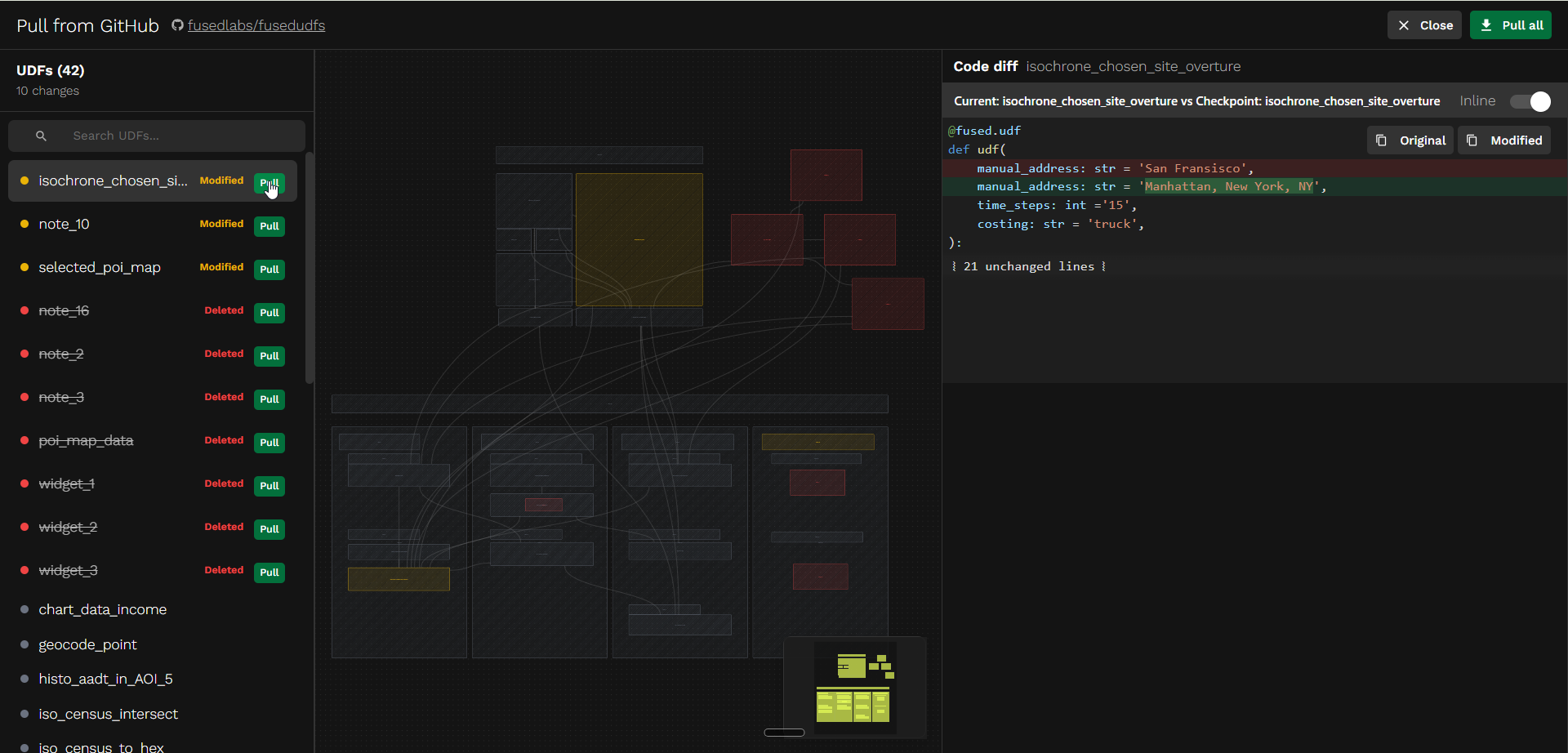
See Versioning for more on checkpoints, diffs, and restoring previous states.
See also
- Connect an AI agent — step-by-step walkthrough of connecting Claude Code to a canvas
- Building for Agents — expose your canvas as an MCP endpoint for AI agents to query
- Working as a Team — GitHub integration for canvas version control
- Versioning — checkpoints, diffs, and restoring canvas state