Run UDFs efficiently
Realtime is the default way to run UDFs—no configuration needed. Every UDF runs in realtime mode unless you explicitly request a batch instance.
This guide covers best practices for calling UDFs from other UDFs and building pipelines. For the full API reference, see the Udf class.
Limits
| Resource | Limit |
|---|---|
| Execution time | 120s |
| RAM | ~10GB |
Need more? See Scaling out UDFs.
Calling another UDF
Load and call UDFs directly:
@fused.udf
def udf():
    child = fused.load("child_udf")
    result = child(name="hello")
    return result
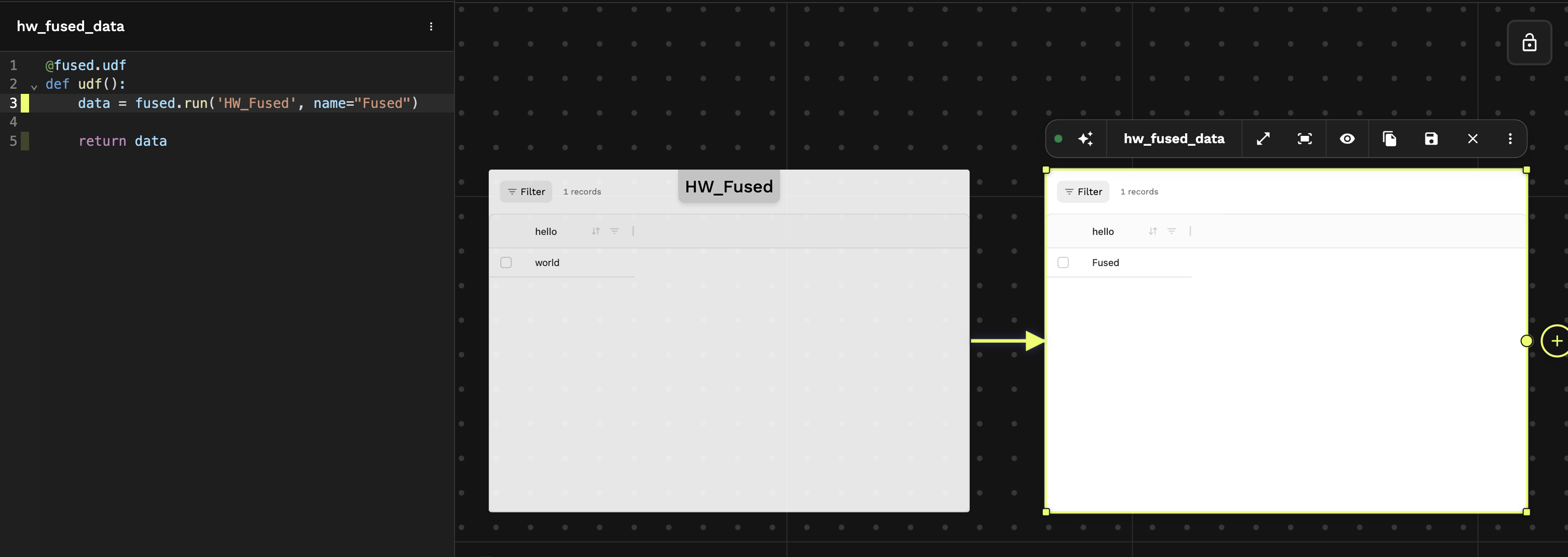
In Workbench, UDF calls create visual links between parent and child UDFs, making pipelines easy to follow.
For geospatial UDFs, you can pass bounds as a bbox list, GeoDataFrame, or tile coordinates. See Reserved parameters.
Best practices
Keep results fresh
By default, UDF results are cached. To always get fresh data, disable caching:
@fused.udf(cache_max_age=0)
def udf():
    parent = fused.load('parent_udf')
    return parent()
Setting cache_max_age=0 means this UDF runs from scratch every time—no caching. Use this when your output depends on frequently changing data.
Pin to commit hash for production
When loading UDFs from GitHub, pin to a specific commit:
commit_hash = "bdfb4d0"
my_udf = fused.load(f"https://github.com/fusedio/udfs/tree/{commit_hash}/public/My_UDF/")
result = my_udf()
Avoid pointing to main branch—your UDF will break when others push changes.
Warm & cold starts
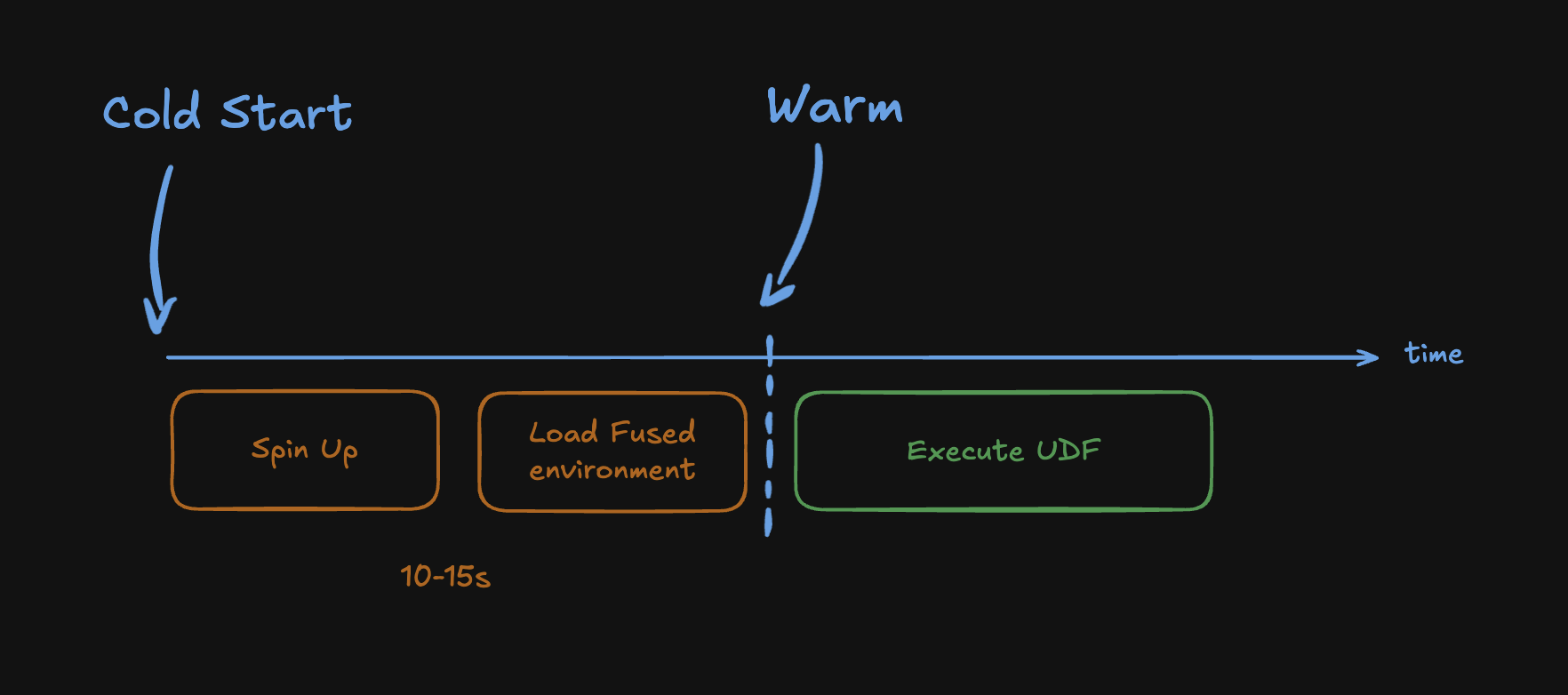
After inactivity, Fused needs to spin up an instance and load the environment. This cold start typically takes 5–15s.
Once warm, subsequent calls execute within seconds. Instances stay warm for approximately 20 minutes after the last call. The more active your system is, the more containers remain provisioned—heavy usage keeps the environment hotter.
Keeping Workbench open automatically pings your environment every 2 minutes, keeping it partially warm with no extra effort.
Fused does not charge for cold start time.
When to scale up
| Need | Solution |
|---|---|
| Run same UDF over multiple inputs | Parallel execution |
| More than 120s or ~10GB | Dedicated instances |
See also
- Running UDFs — full reference
UdfAPI reference — all methods and parameters- Tokens & endpoints — call UDFs via HTTP
- Caching — how caching works