Workbench intro
Workbench is Fused's browser based IDE.
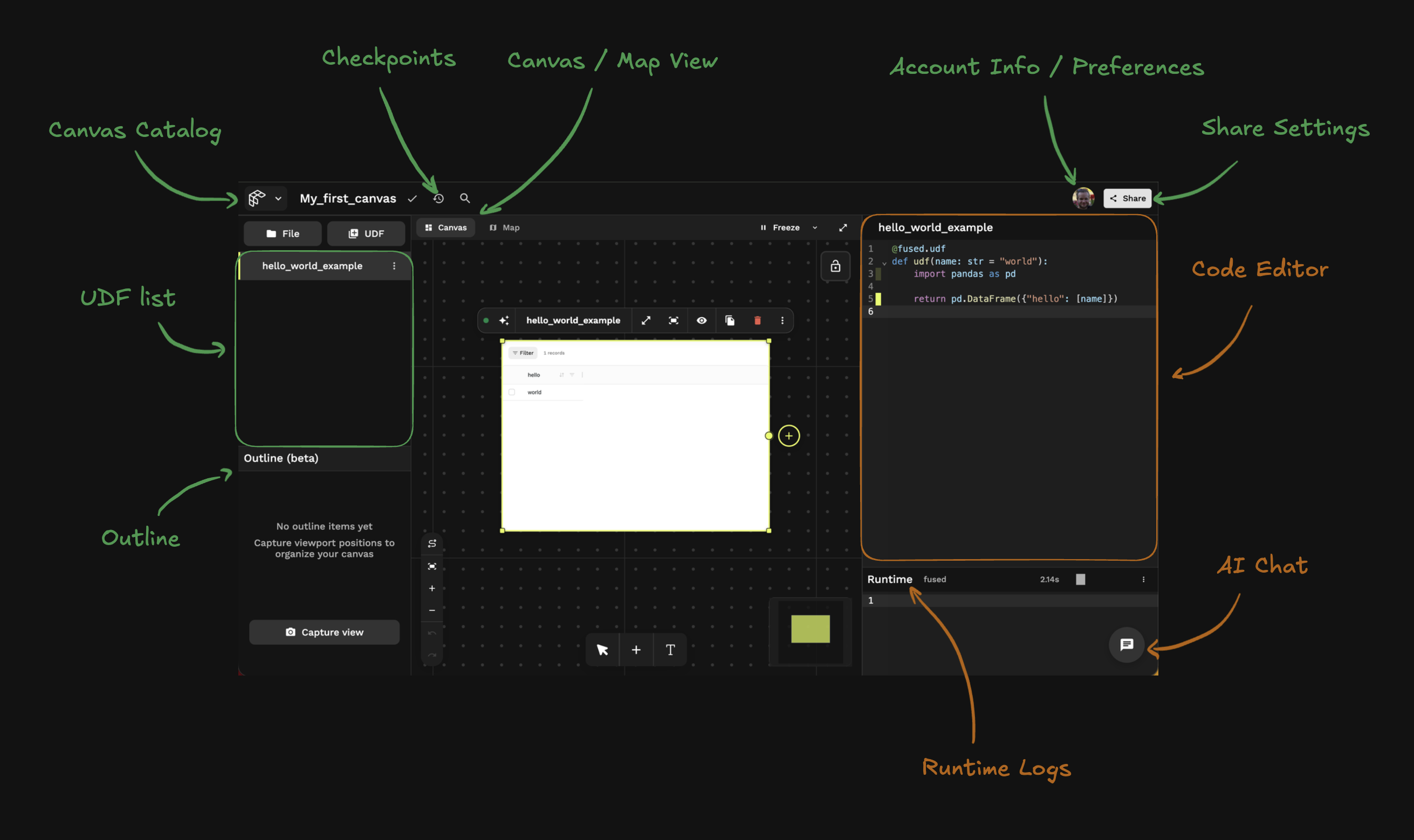
It allows you to:
- Write Python UDFs directly in the browser with built-in dependencies — no local setup needed. For custom packages, see Dependencies.
- Build workflows and shareable dashboards in Canvas
- Browse cloud storage and preview files in File Explorer
Canvas
Freeform canvas where each UDF is a draggable card. Connect UDFs with the (+) icon to build workflows, annotate with text elements, and create interactive dashboards shareable via link.
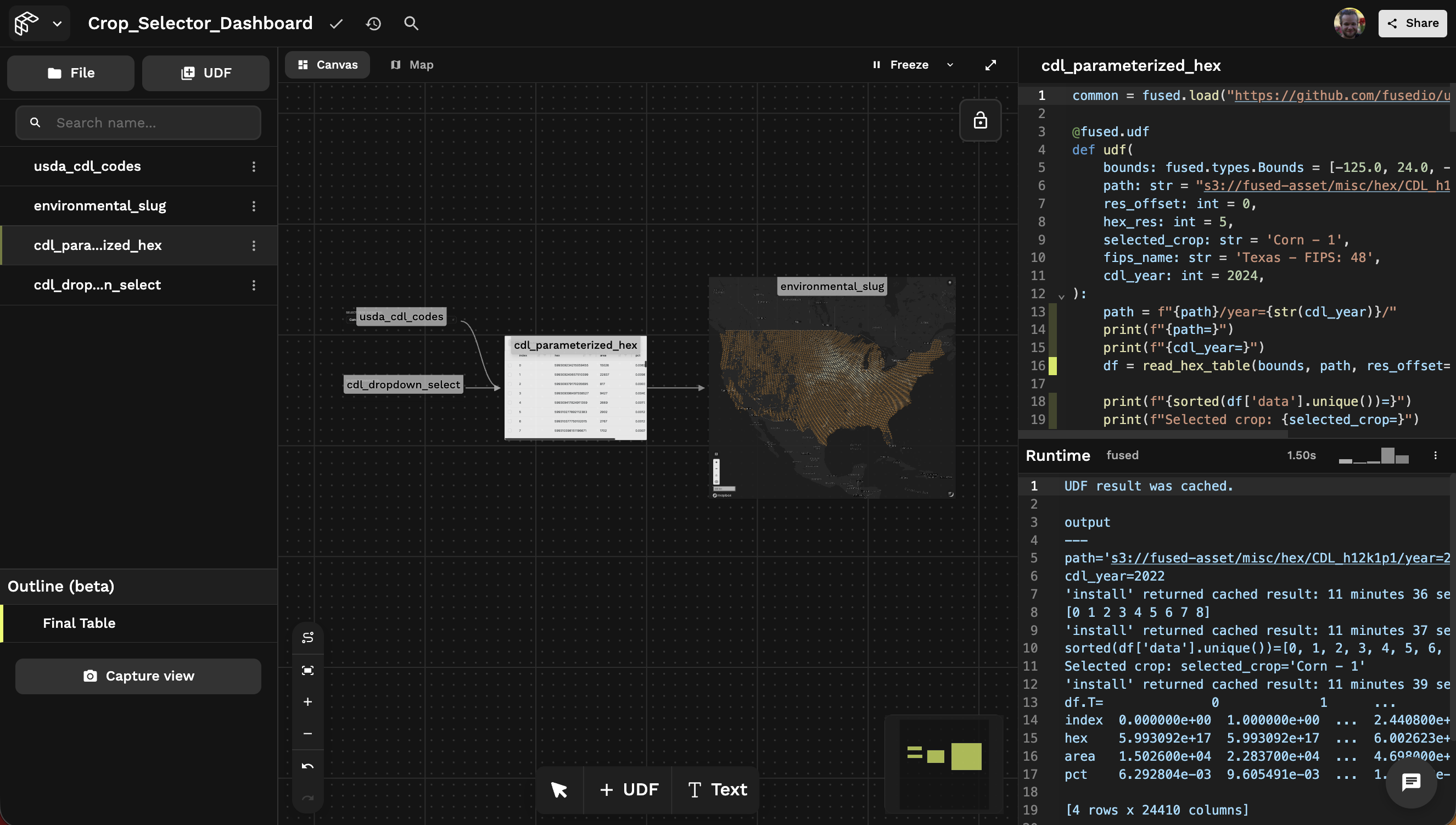
An example of a workflow in Canvas: Change the crop type to see the changes in the dataframe and map. Try it out →
Good for:
- Chaining UDFs together into repeatable workflows
- Annotating work with text elements next to code
- Creating interactive dashboards shareable with a link
File Explorer
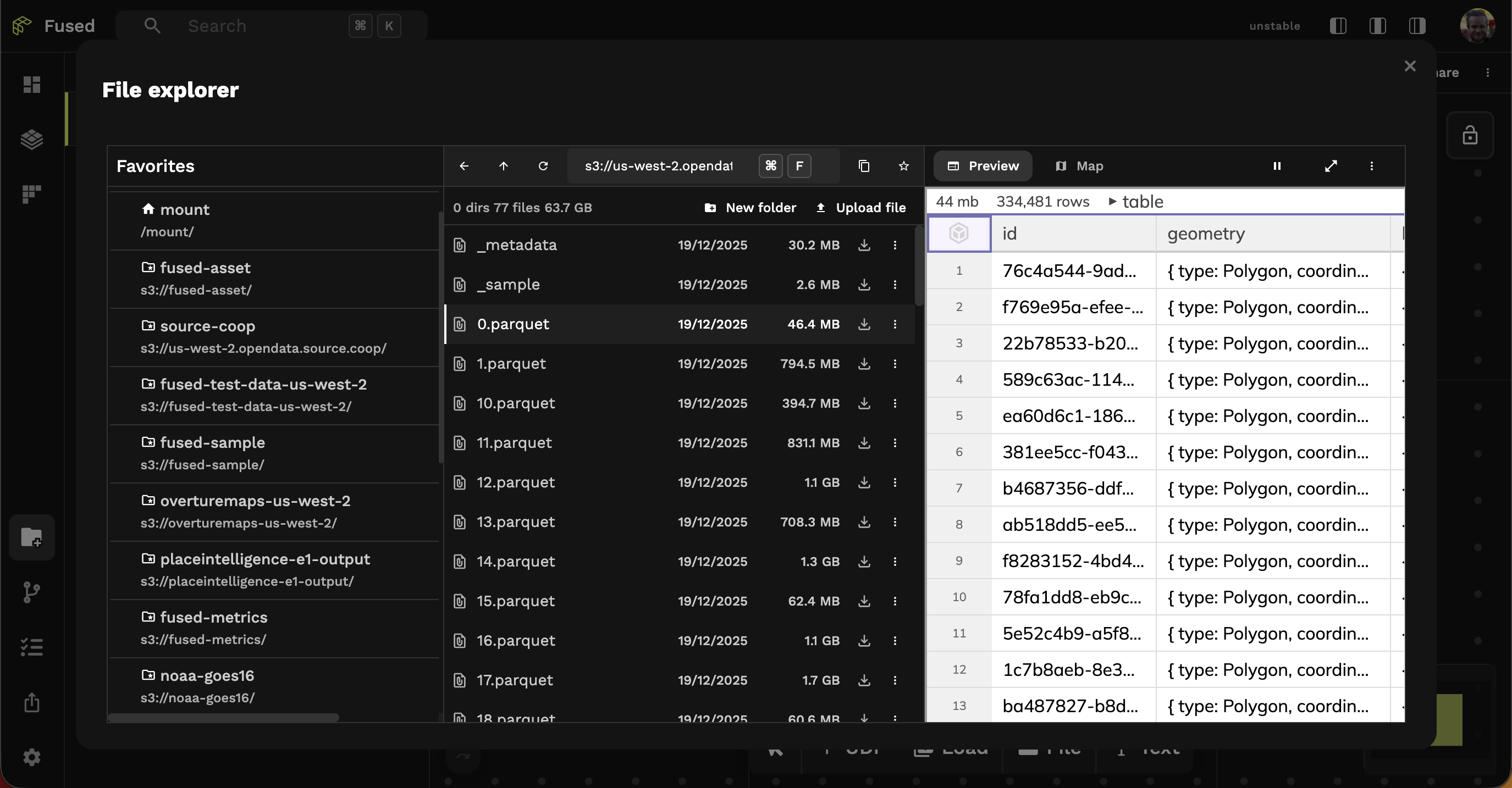
Browse public or private cloud storage buckets. Preview large files directly in the browser, then double-click to open in a UDF and start working.
Good for:
- Browsing files across different buckets (S3, GCS)
- Previewing large files without writing code
- Quickly opening files in a UDF template
Learn more about File Explorer →
Map View
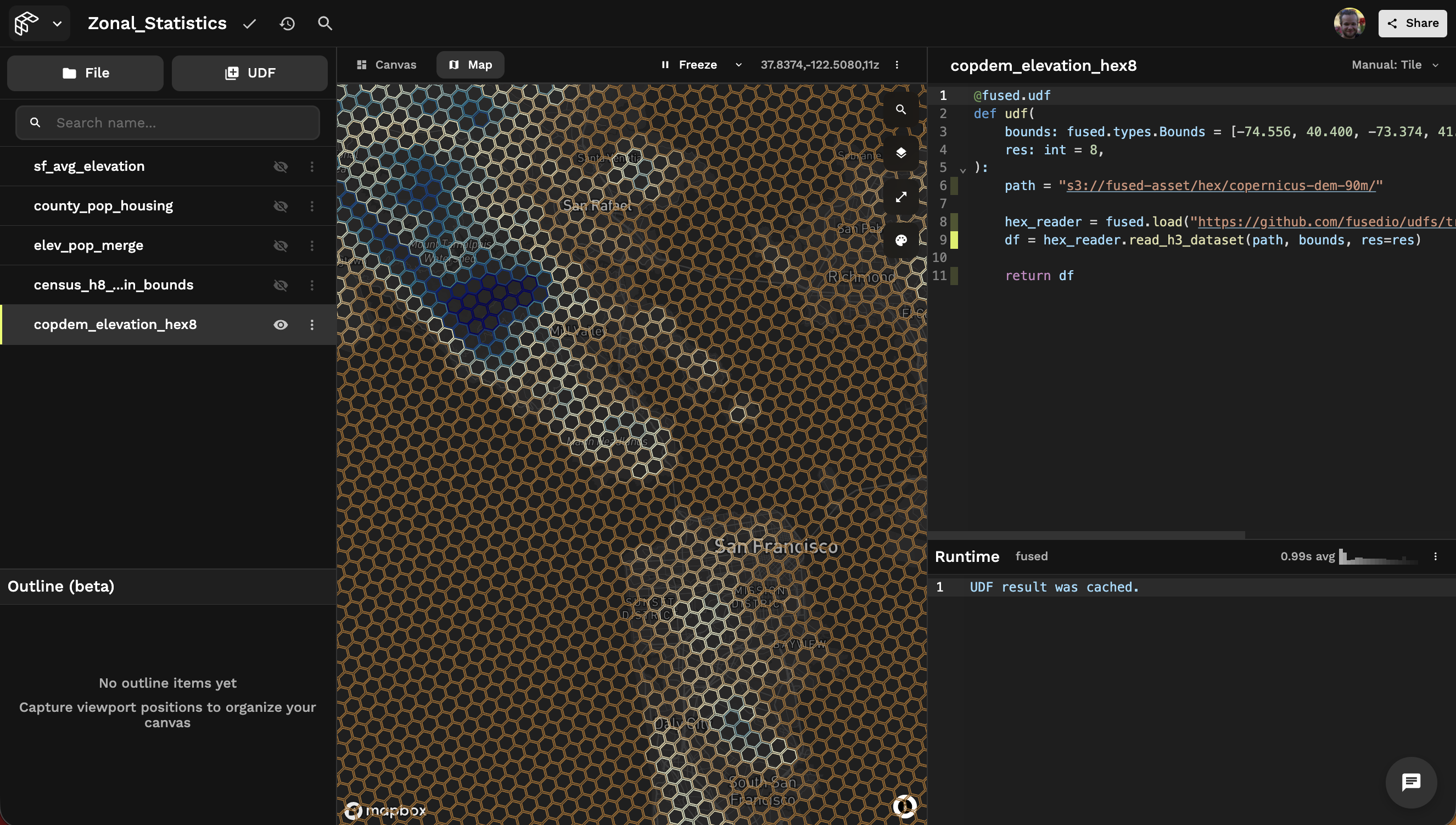
A GIS-style layer view for advanced geospatial exploration. Toggle UDFs on/off like layers in QGIS/ArcGIS, with automatic tiling for large datasets based on the viewport.
Good for:
- Advanced exploration of large geospatial datasets
- Working across multiple layers (each UDF is a layer)
- Automatic viewport-based tiling for performance
Next Steps
- Write your first UDF - Learn everything about UDFs
- Using AI to build - AI is built right at the core of Fused
- Geospatial processing - Learn how to leverage Fused for heavy geospatial workflows