Create Interactive Dashboards
Any Canvas can be turned into a shareable dashboard by clicking the "Share" button in the top right corner. Sharing also creates a canvas token (fc_***) for API access: UDFs on the canvas can be called at udf.ai/fc_<token>/<udf_name>.<ext> (see Tokens & Endpoints).
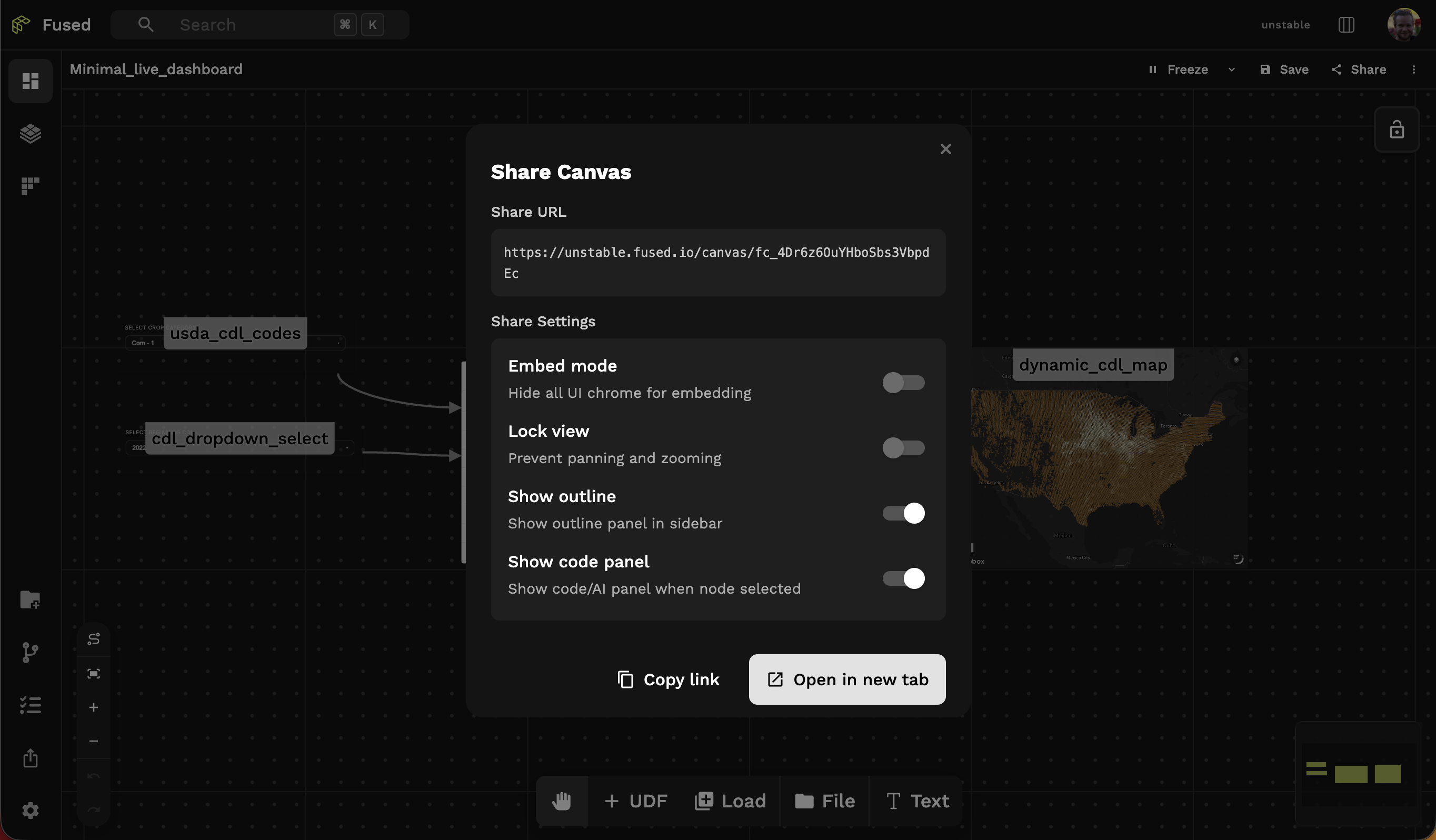
This gives you a few options:
- Embed mode — Hide all UI chrome for embedding in external sites
- Lock view — Prevent panning and zooming
- Show outline — Show outline panel in sidebar
- Show code panel — Show code/AI panel when a node is selected
For example, selecting "Embed mode" allows you to iframe a canvas as a dashboard:
Best Practices
- Use interactive components (see the Standalone Maps reference)
- Add "Text" elements to annotate your dashboard