A repeatable image generation pipeline

We just published a blog post about our vision of the current data stack — how file formats, query engines, AI, and serverless compute are killing the modern data stack. We wanted to write it as a themed detective story, with custom visuals for each "suspect." Getting those visuals right is what led to this.
1. The problem with AI image generation at work
We're a small team and we've been leaning on AI across the board — coding, reviewing customer feedback, writing docs. So we wanted to give image generation a shot for the blog post. Two problems showed up fast:
Inconsistent results. AI models hallucinate in unpredictable ways and require a lot of different prompt iterations to get right.
Hard to share across a team. I could create a repeatable pipeline in Claude or ChatGPT and share a .md file of my best prompts — but everyone on the team would still need their own setup to actually run it.
2. What we built
We're always looking for ways to use Fused in our own daily work. We've built a platform that makes it easy to share pipelines and outputs — this was a perfect chance to test it.
So I built a Fused Canvas:
- Pass a rough draft of an image (hand-drawn on an iPad)
- Select a custom prompt for repeatable output
- Run the pipeline using Nano Banana via OpenRouter, get the output on S3
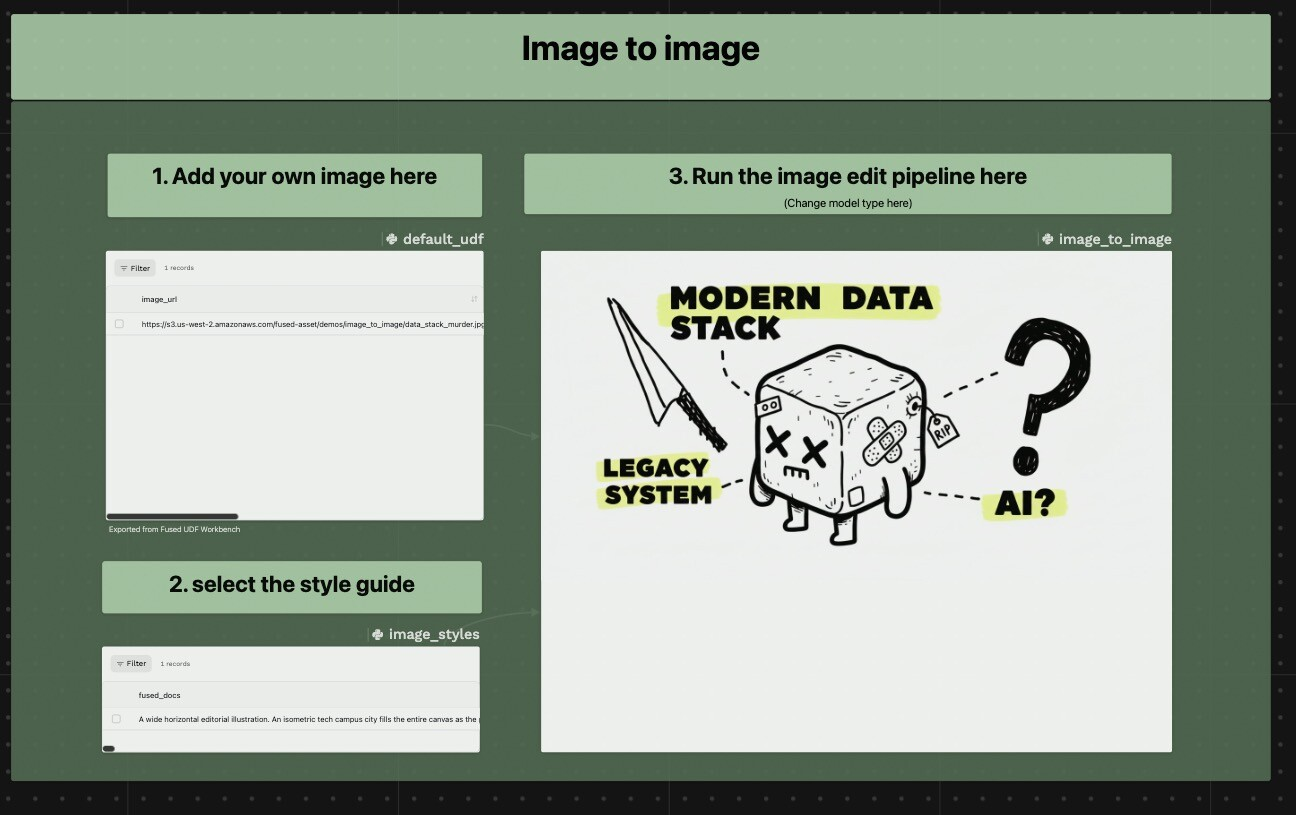
Under the hood, it calls the OpenRouter API to run the image-to-image workflow:
@fused.cache
def call_api(model, full_prompt, api_key):
    response = requests.post(
        "https://openrouter.ai/api/v1/chat/completions",
        headers={"Authorization": f"Bearer {api_key}"},
        json={
            "model": model,
            "messages": [{"role": "user", "content": full_prompt}],
            "modalities": ["image", "text"],
        }
    )
    return response.json()
Starting from a hand-drawn sketch means the model has structure to work with — far fewer hallucinations, much more consistent composition.
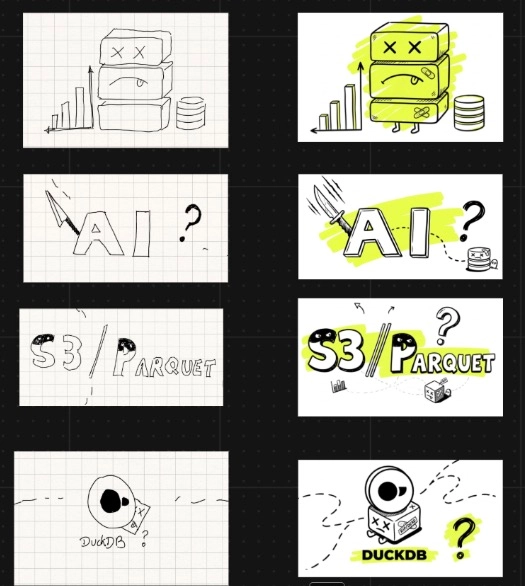
Left: hand-drawn sketches. Right: output of the pipeline, directly used in the blog post.
3. Why this matters for a team
Version controlled. The Canvas is pushed and pulled through GitHub. We can focus on iterating the prompts rather than chasing each other for the latest .md file.
Build once, available to everyone. I figure out which tool works best, build the pipeline once, and share it to the rest of the team — who don't need to worry about infrastructure or their own setup to use it.
I'm particularly excited about this because AI image generation can be flaky at best, a bit like code. Building pipelines that make it repeatable and easy to share means we get much more mileage from these models — beyond the "one time wow factor."
You can learn more about how we built this in this example in the Fused docs. We're since using this to generate visuals for docs pages too, and we want to keep exploring how to integrate more tools into repeatable pipelines.
This is short #1 in the Road to Zero Coding series — short posts on getting towards building Fused 100% without writing a single line of code ourselves.