Connect your data to Fused
Connect your own data sources
You can directly connect your data buckets to Fused:
Bring data directly inside Fused
Quickly bring any data not on the cloud into Fused:
- Drag & Drop in File Explorer!
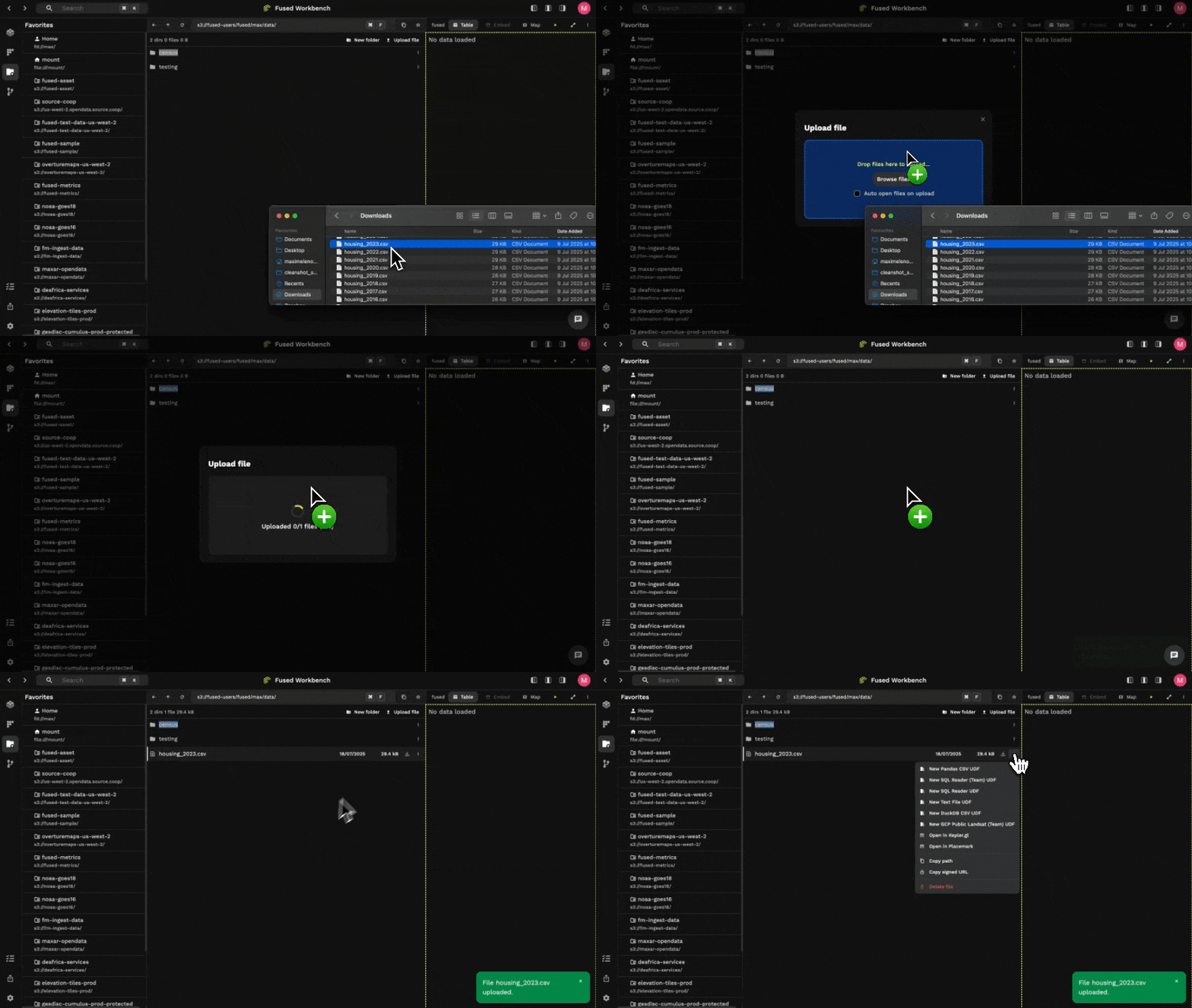
- Use
fused.upload()
Install fused Python, authenticate & run:
fused.api.upload("my_local_file.csv", "fd://my_data/file.csv")
Note: fd:// is the Fused provisioned private S3 path for your team.
Optimize data loading
For files < 1GB:
Leverage caching built in to Fused to make loading any data faster:
@fused.udf
def udf(path: str = "s3://fused-sample/demo_data/housing_2024.csv"):
    import pandas as pd

    @fused.cache
    def load_data(path):
        return pd.read_csv(path)

    # Some processing

    return load_data(path)
- As you make changes inside your UDF,
load_data()will be called from cache. - This is especially useful for slow formats (CSV, Excel, etc.) or files that are not partitioned well.
For files > 1GB:
Use fused.ingest() to ingest large datasets into cloud optimized, partitioned files.
job = fused.ingest(
    input="https://www2.census.gov/geo/tiger/TIGER_RD18/LAYER/TRACT/tl_rd22_11_tract.zip",
    output=f"s3://fused-users/{user_id}/census/dc_tract/",
)

job.run_batch()
Read more about how to ingest your data.
Infrastructure (Github / Secrets / On Prem)
You can use Fused with your own infrastructure:
- Allow your team to save UDFs in your own Github repo
- Save & access secrets in Fused
- Use Fused on your own servers (On prem option)
Examples
- Ingesting ship transponder data in fused